Onit Digital home
Home / See It Work / Website Builder
See it work

Website Builder: say what you want, get a working website.

Part of Creative Buddy. Answer a few questions about your business, keep the sample images you like, and get the words, a Home page and two more pages, and the working parts a site needs. When you like it, we build it, stage it and help you put it on your own domain.
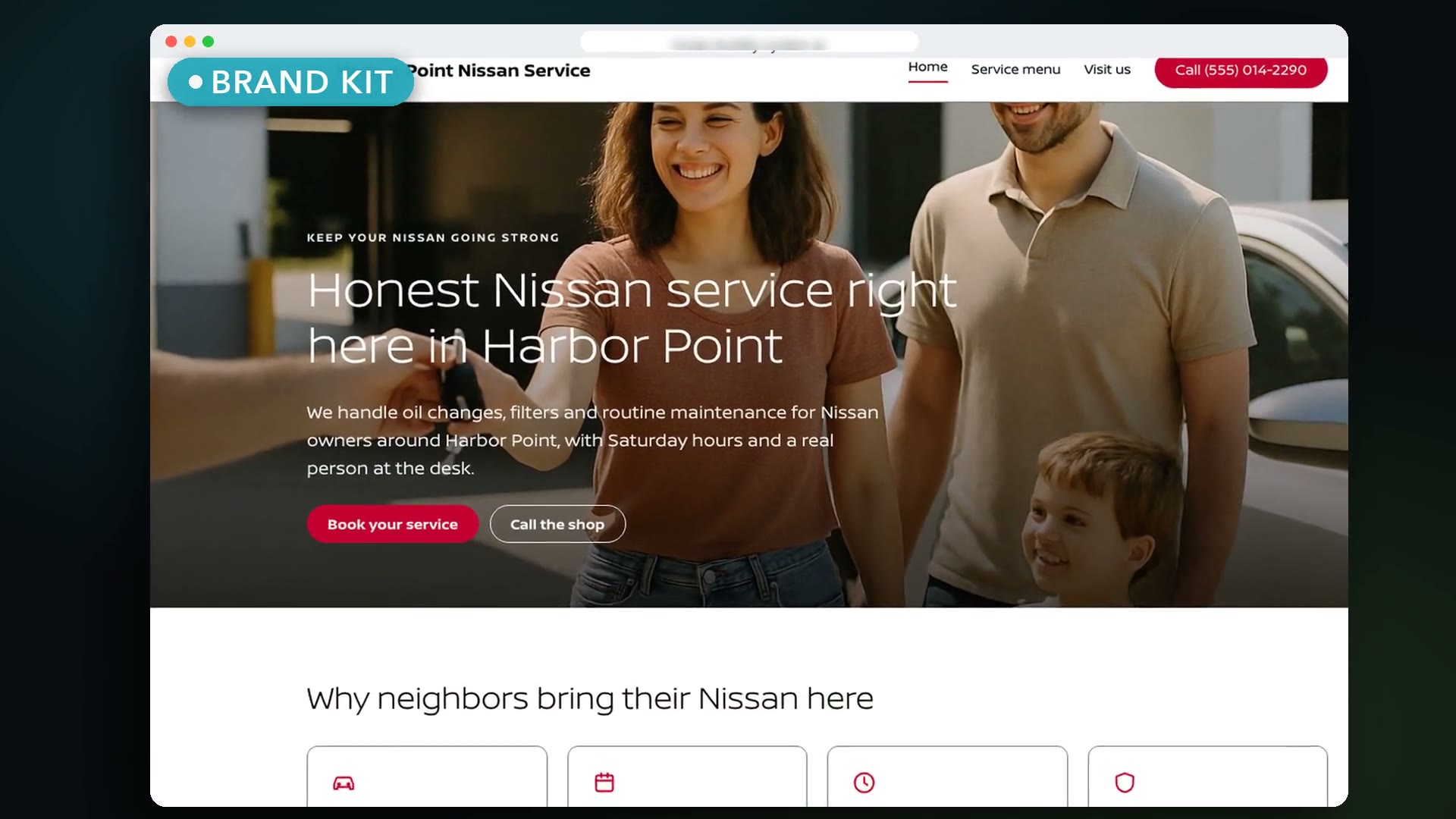
Website Builder · 1:10Website Builder

Website Builder, 1:10. Captions available.
How It Works · 2:47Website Builder: how it works

How It Works, 2:47. Captions available.

How it works

Seven steps, each waiting for your OK.

  1. Tell us what you wantA few questions, then follow-up questions with answers you can click.
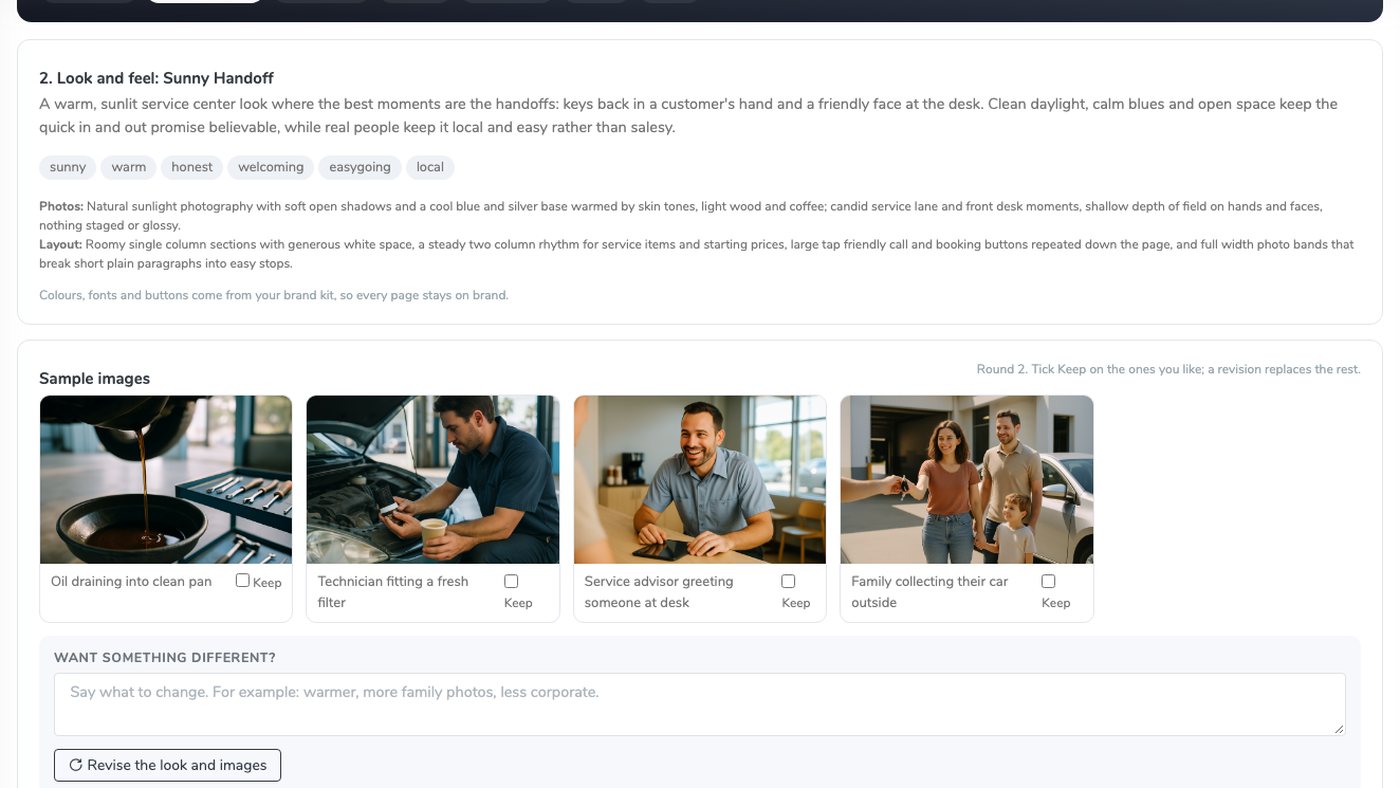
  2. Look and feelFour AI sample images. Keep the ones you like; the next round replaces the rest.
  3. Copy linesA tagline, headlines, buttons and an about paragraph. Edit anything.
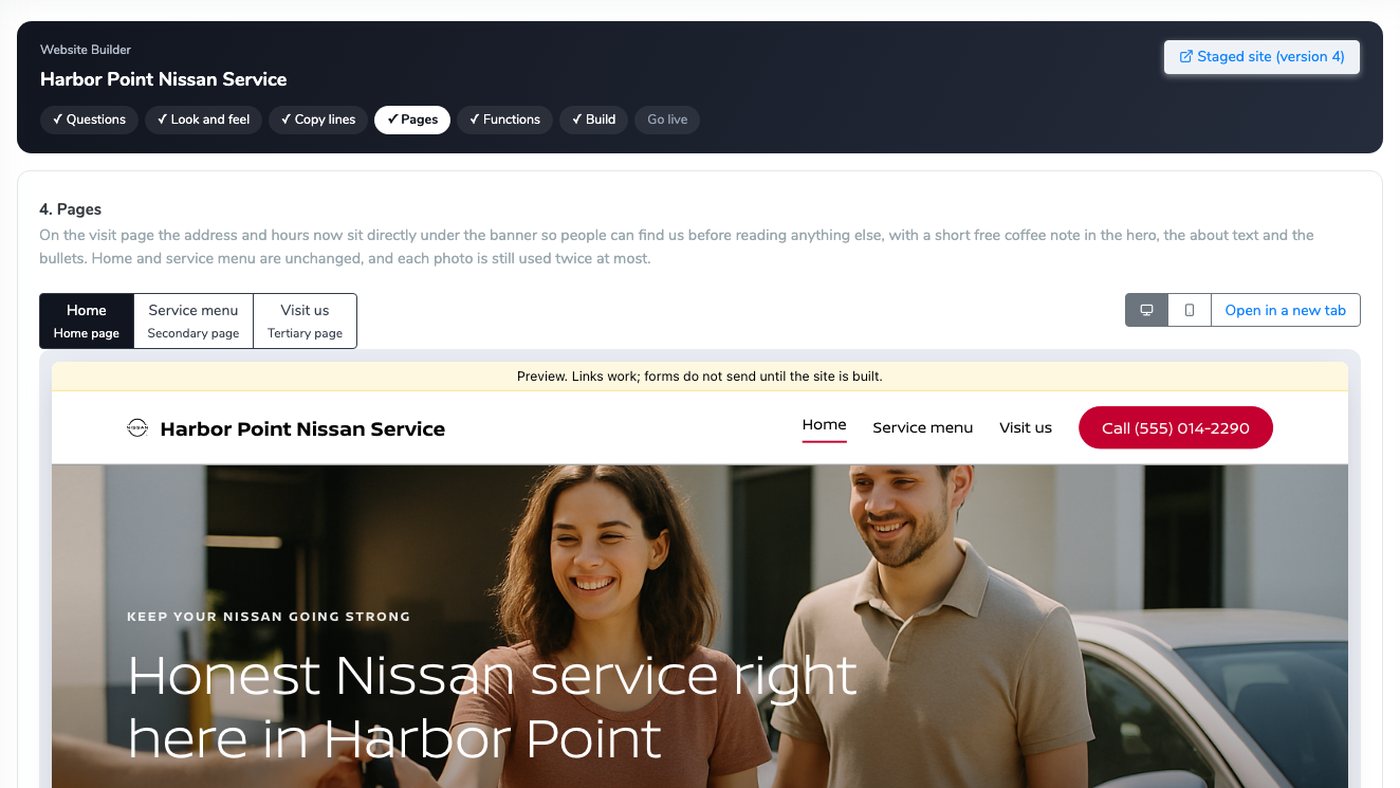
  4. Three pagesA Home page, a secondary page and a tertiary page that fit the business.
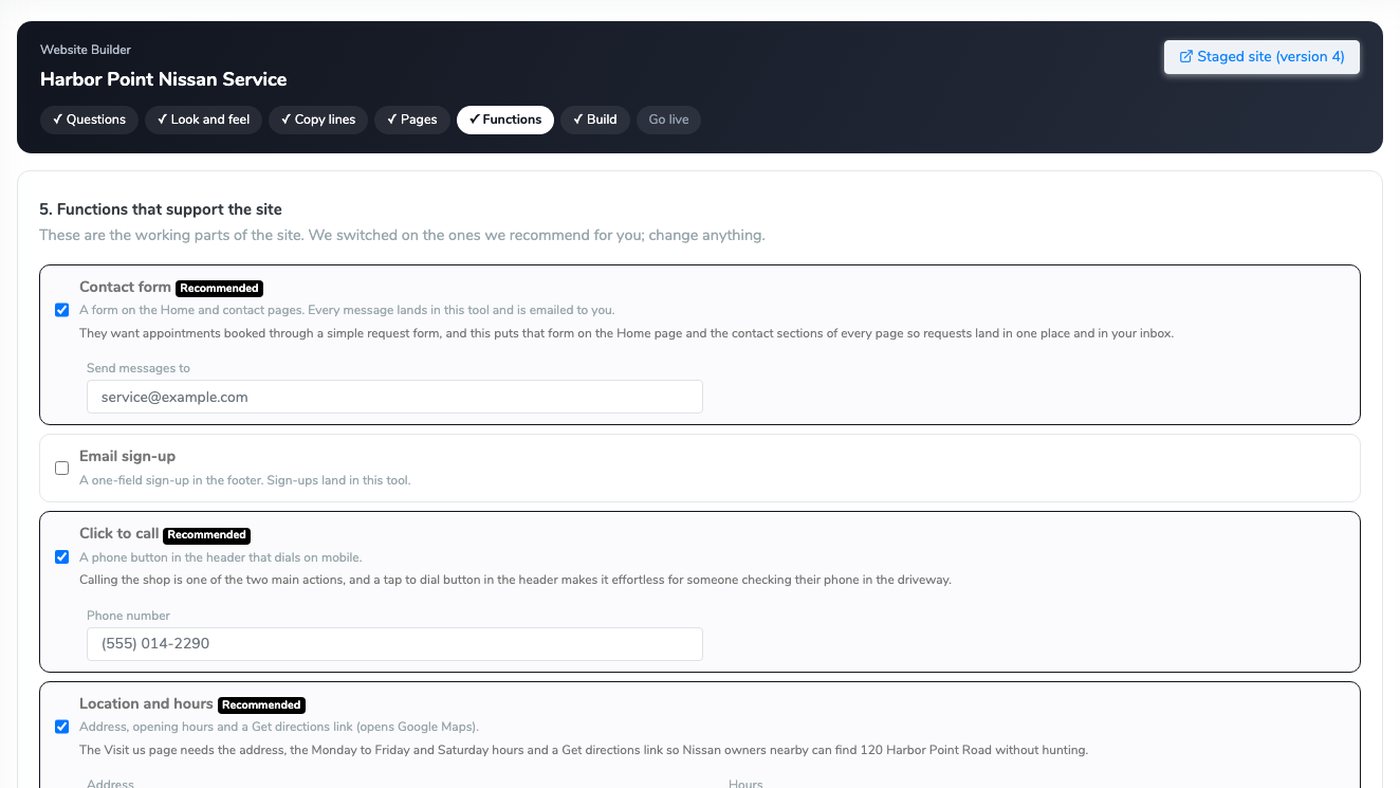
  5. Working functionsContact form, click to call, location and hours, questions and answers and more.
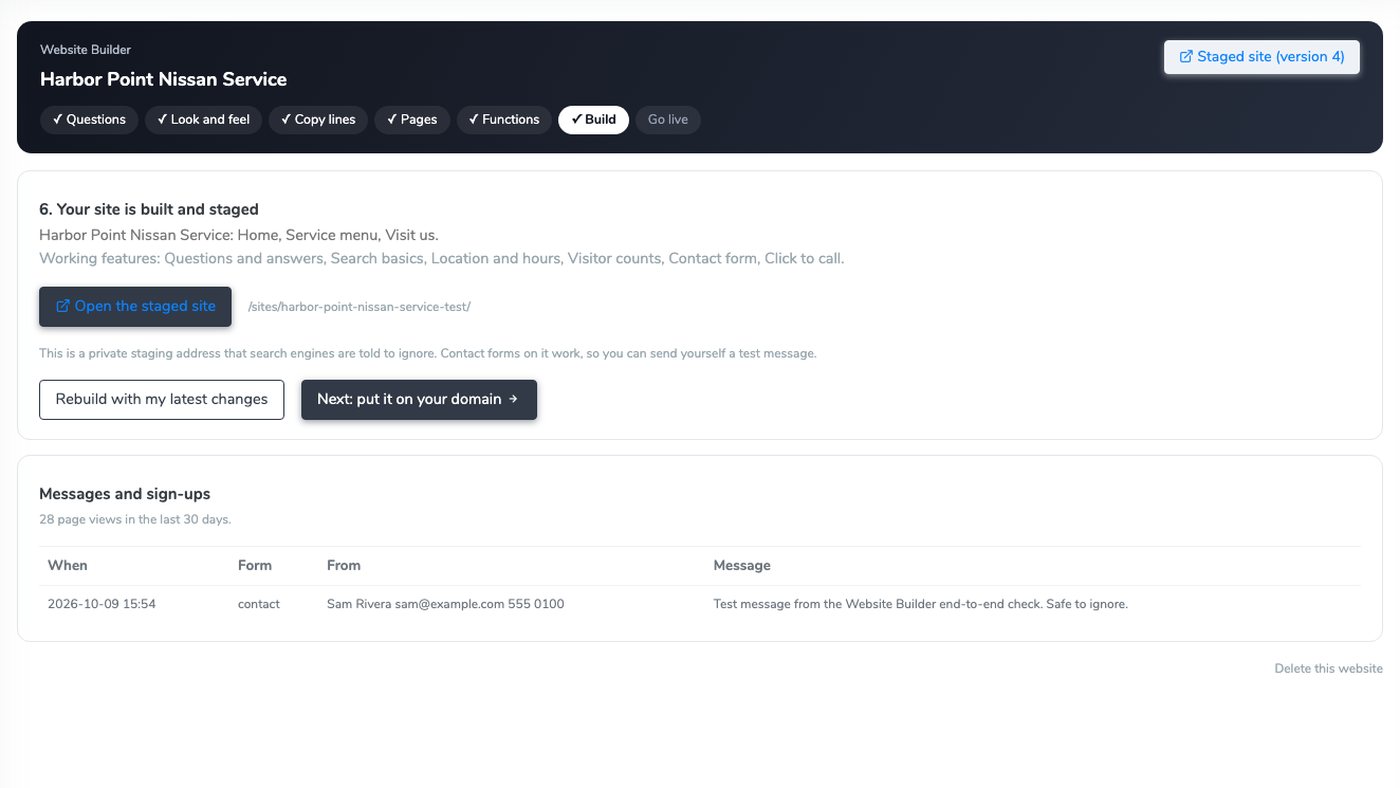
  6. Build and stage"Do you want us to build it?" Say yes and it is built and staged.
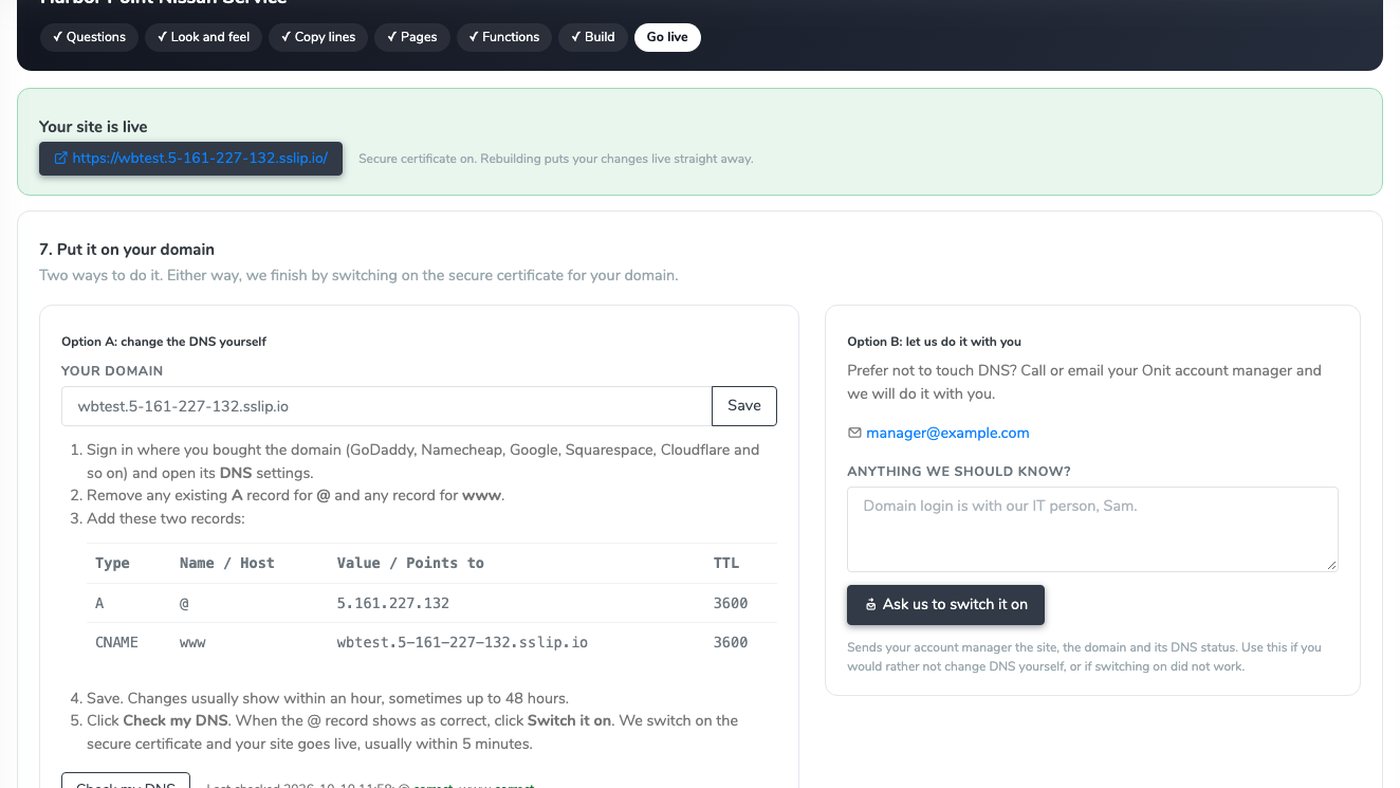
  7. Go livePoint your domain with two DNS records and click Switch it on.

Give feedback at any step. Every piece of feedback makes a new version, and you can go back to any earlier one.

Inside the product

Real screens, real product.

Every screen here is the working product, captured from the tour above.
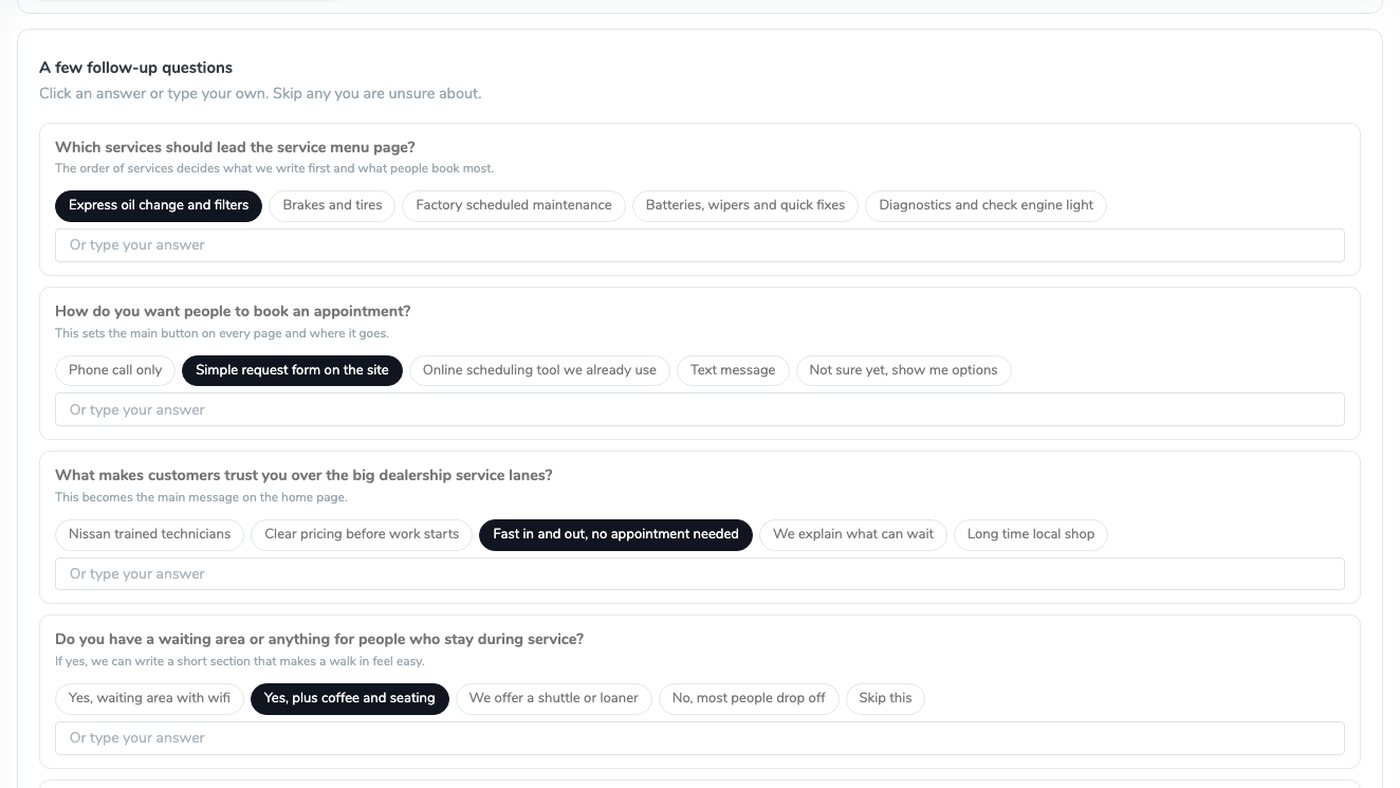
Website Builder follow-up questions with clickable answers
Questions firstA few questions about the business, then follow-up questions with answers you can click.
Website Builder look and feel step with four sample images and Keep boxes
Pick the pictures you likeA direction for the look and four AI sample images. Tick Keep on the ones you like.
Website Builder pages step previewing the Home page
Three pages, previewedA Home page, a secondary and a tertiary page, with desktop and mobile previews and working links.
Website Builder functions step with recommended features switched on
The working partsContact form, click to call, location and hours and more, recommended for this business.
Website Builder build step with the staged site and messages
Built and stagedA private staging address to share, with messages, sign-ups and page views in one place.
Website Builder go live step with the two DNS records
On your own domainTwo DNS records and Switch it on, or ask your account manager to do it with you.
Working functions

The parts that make it a working website.

It recommends the ones that fit your business, and you switch any of them on or off.

Contact formEvery message is emailed to the business and lands in the tool.
Click to callA phone button in the header that dials on mobile.
Location and hoursAddress, opening hours and a Get directions link.
Questions and answersThe questions your customers ask, answered on the page.
Search basicsPage titles, a search description and a sitemap.
Visitor countsPage views for the last 30 days, counted with no cookies.
Email sign-upA one-field sign-up in the footer. Sign-ups land in the tool.
Social linksLinks to the profiles you already have.
Cookie noticeA simple cookie notice on every page.

Messages from the contact form are emailed to the business and land in the tool. Visitor counts use no cookies.

Going live

On your own domain, about 5 minutes after you switch it on.

Two ways to do it. Either way, the site gets a secure certificate.

Do it yourself: two DNS records

The Go live step shows the exact records for your domain:

  1. An A record for @ that points at our server.
  2. A CNAME record for www.
  3. Click Check my DNS, then Switch it on.

Your site goes live with a secure certificate, usually in about 5 minutes.

Or let us do it with you

Rather not touch DNS? Ask us to switch it on and your account manager finishes it with you.

If switching on does not work, you see the reason and can try again, and your account manager is told and finishes it.

Why it matters

What it changes.

On brand on every page

Every page uses your brand kit: your colors, fonts and logo.

Feedback makes a new version

Give feedback at any step and get a new version. Any earlier version can be restored.

Nothing made up

The AI is told never to invent prices, reviews or awards.

Good to know

Who can use it, and what it does not do.

  • Everyone signed in to The Buddy System can use it, and each person sees their own sites.
  • The sample images are AI pictures that set the look. They never show your real premises, staff or vehicles.
  • Going live needs a domain you own. You change two DNS records, or your account manager does it with you.
  • Extras such as online booking or live chat go through your account manager.

From a few questions to a live website, inside Creative Buddy.

Or team it up with The Buddy System: the site uses the same brand kit as every page, ad and offer it builds.

Meet The Buddy System →

See more tools work: PFA Builder · PFA Carousel · Pulse Player · Page Builder · Widget Studio · Digital Coupons · Brand Sweep · Asset Studio · The asset manager · Text Me My Offer · Creative Buddy · The Creative Buddy Studio · Media Buddy · Measure Buddy · Search Buddy · The Idea Center · Offer Buddy · Data Buddy · Campaign Buddy · Integration Buddy · Users and Access · Prototype Studio

Bring a real brief.

Bring an actual goal from an actual market, and watch The Buddy System build it.

This site is protected by reCAPTCHA and the Google Privacy Policy and Terms of Service apply.

The Buddy System by Onit Digital

See Buddy work.

Give it the goal. Get the campaign. A person still presses send.