Onit Digital home
Home / See It Work / Asset Studio
See it work

One creative, every banner size

Design an offer banner once and carry it into every standard ad size. Layers reflow for each size, offers come from live data, and brand rules are checked on render.
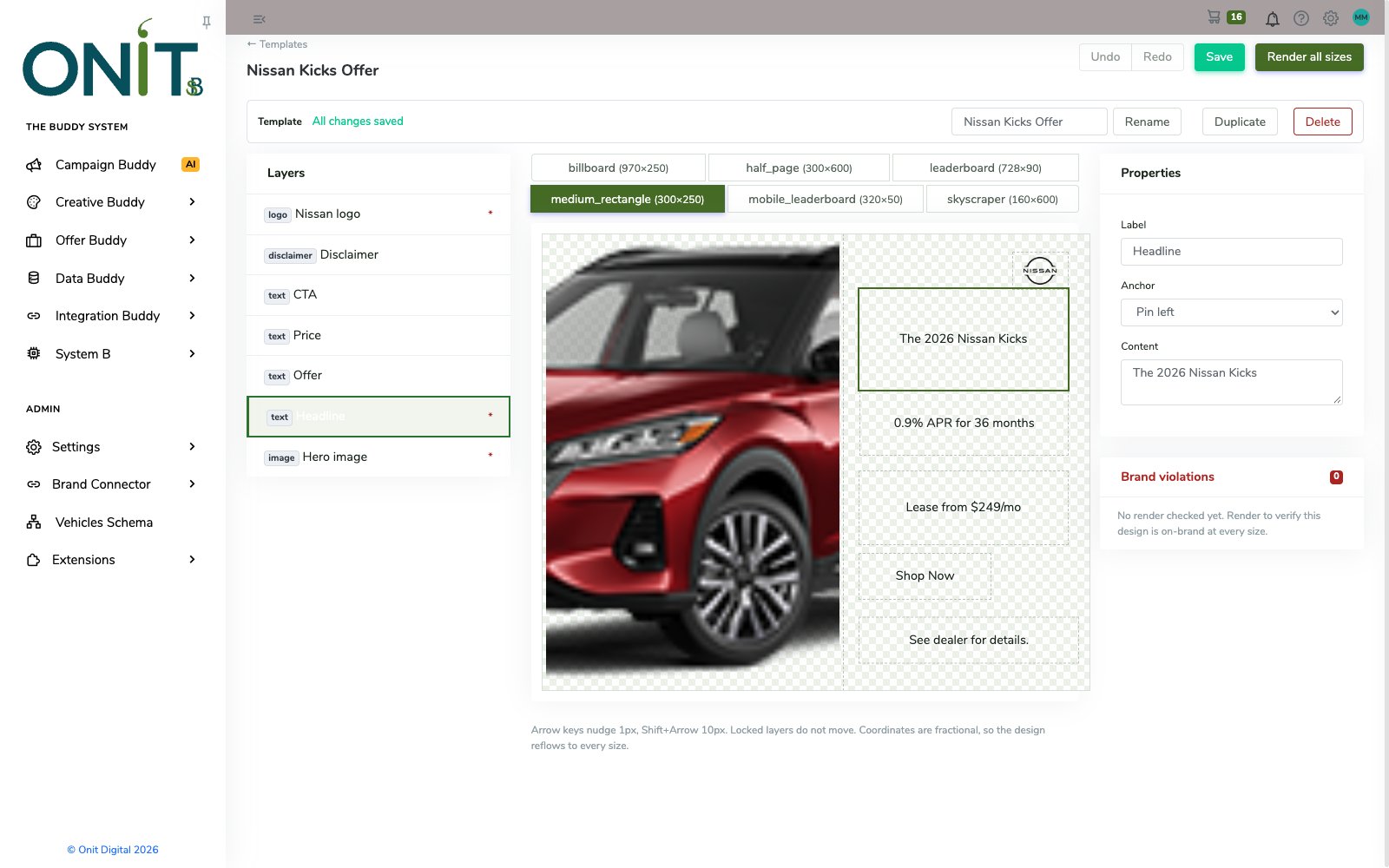
Template editor showing a Nissan Kicks medium rectangle banner with layers, size tabs, properties and a brand violations panel
How it works

Step by step.

  1. Start from a templateOpen a reflow template or a Creative Set with its layers: logo, headline, offer, price, CTA, disclaimer and hero image.
  2. Pull a real offerChoose the vehicle, offer type and ZIP, and the banner fills with the current payment and disclaimer.
  3. Set the backgroundPlace artwork from the DAM or generate an AI background that adheres to your Brand Sweep.
  4. Switch sizesMove between universal, desktop, mobile and responsive PFA sizes, and the layout reflows to each one.
  5. Render and checkRender every size and review brand violations before anything goes out.
Inside the product

Real screens, real product.

Every screen here is the working product.
Template editor showing a Nissan Kicks medium rectangle banner with layers, size tabs, properties and a brand violations panel
Layers that reflowPick a size tab and the same layers re-lay themselves; select a layer to edit its content and anchor.
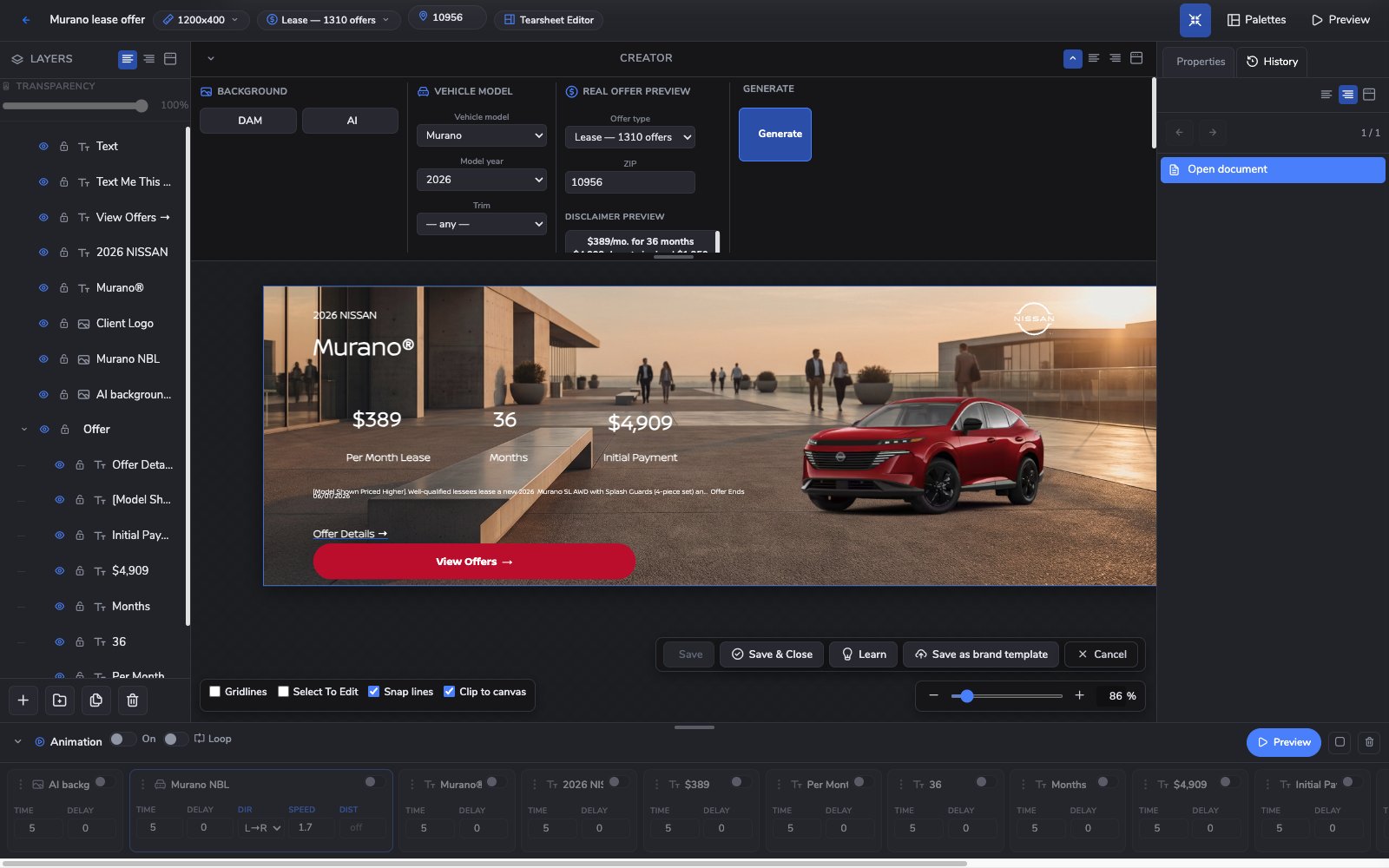
Creator editor with a wide Nissan Murano lease banner, layer list, real offer preview controls and animation timeline
The Creator canvasA Murano lease offer built on the canvas with a live offer, an AI background and per-layer animation.
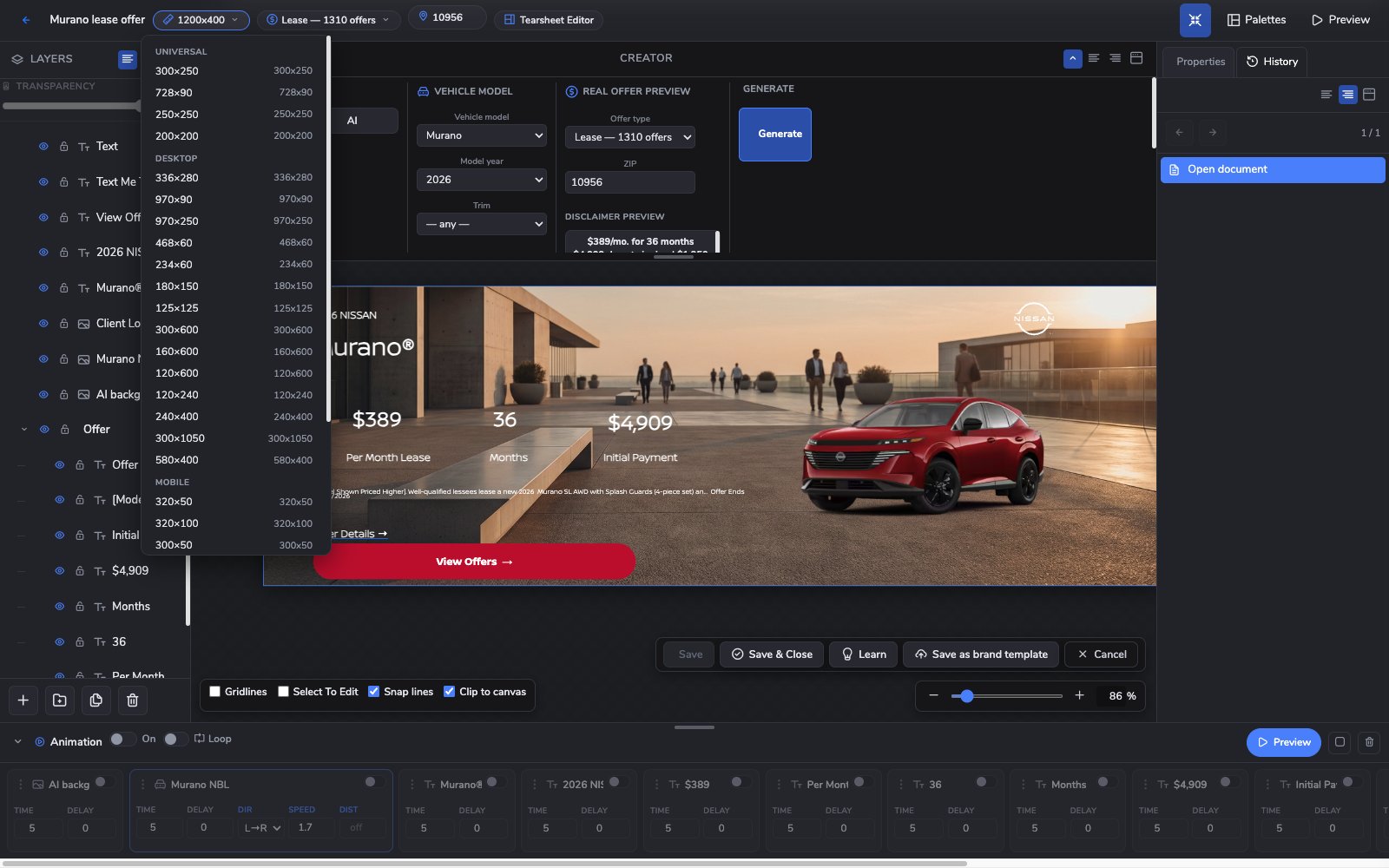
Creator size menu listing standard ad sizes grouped as universal, desktop and mobile over a Murano banner
Every size in one menuUniversal, desktop, mobile and responsive PFA sizes are a click away from the same design.
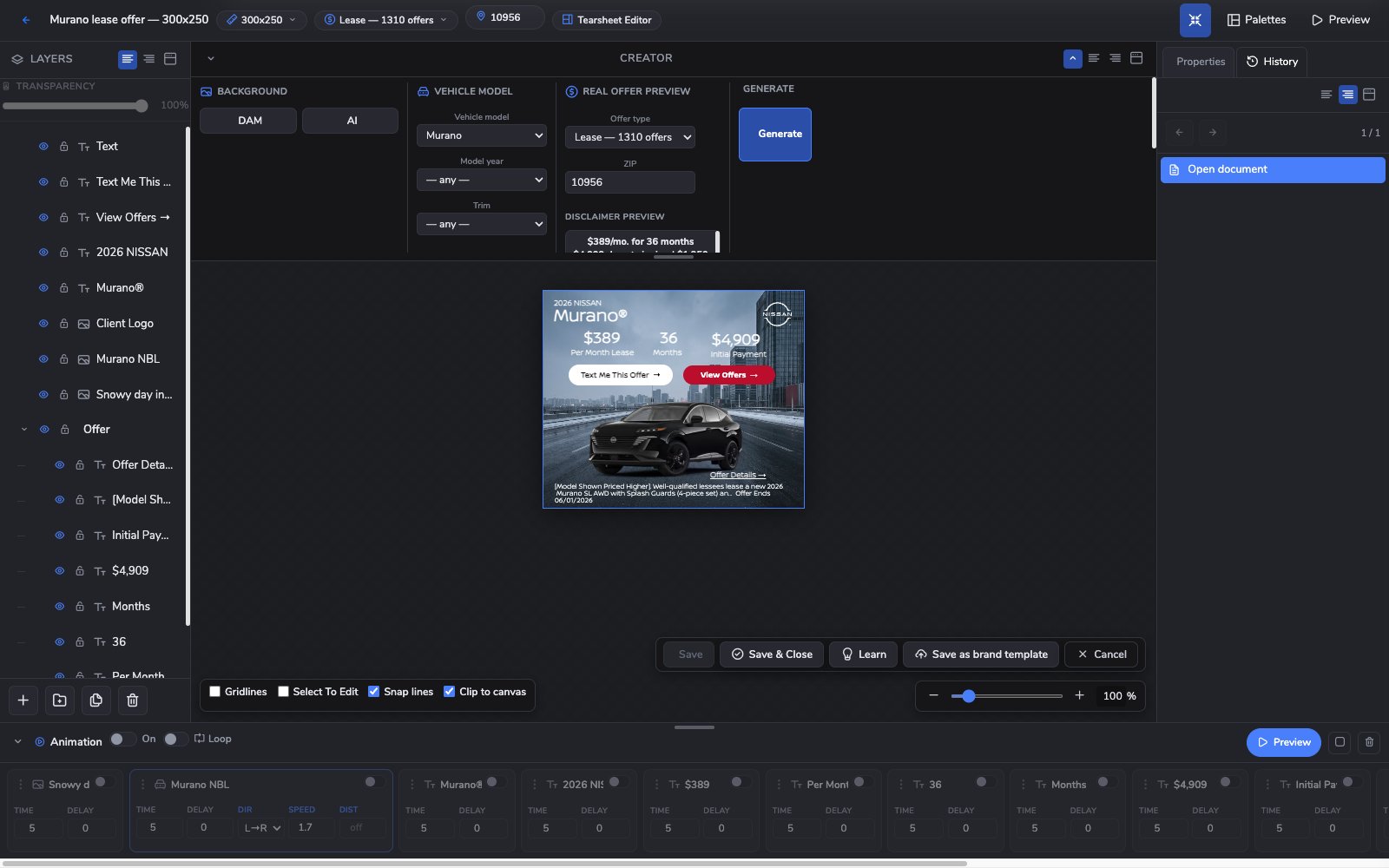
Creator editor showing a 300 by 250 Nissan Murano lease banner with a winter city background
Same offer, smaller boxThe Murano offer set at 300x250, with payment, term, initial payment and disclaimer in place.
Why it matters

What it changes.

Design once

Fractional coordinates let one design reflow to every size instead of rebuilding each one.

Real offers, real disclaimers

Banners pull live offer data by vehicle and ZIP, so the numbers match the program.

Brand-checked on render

Every render is checked against brand rules and violations are flagged before delivery.

A complete banner studio on its own.

Inside The Buddy System, Asset Studio shares one library with PFAs, pages and widgets, takes brand cues from Brand Sweep, and builds the Creative Sets that Campaign Buddy launches.

Meet The Buddy System →

See more tools work: PFA Builder · PFA Carousel · Pulse Player · Page Builder · Widget Studio · Digital Coupons · Brand Sweep · The asset manager · Text Me My Offer · Creative Buddy · The Creative Buddy Studio

Bring a real brief.

Bring an actual goal from an actual market, and watch The Buddy System build it.

This site is protected by reCAPTCHA and the Google Privacy Policy and Terms of Service apply.

The Buddy System by Onit Digital

See Buddy work.

Give it the goal. Get the campaign. A person still presses send.