Onit Digital home
Home / See It Work / Page Builder
See it work

One template. Every model page.

Lay out an offers page from ready-made sections, preview it for any model and device, and serve it at every URL that needs it.
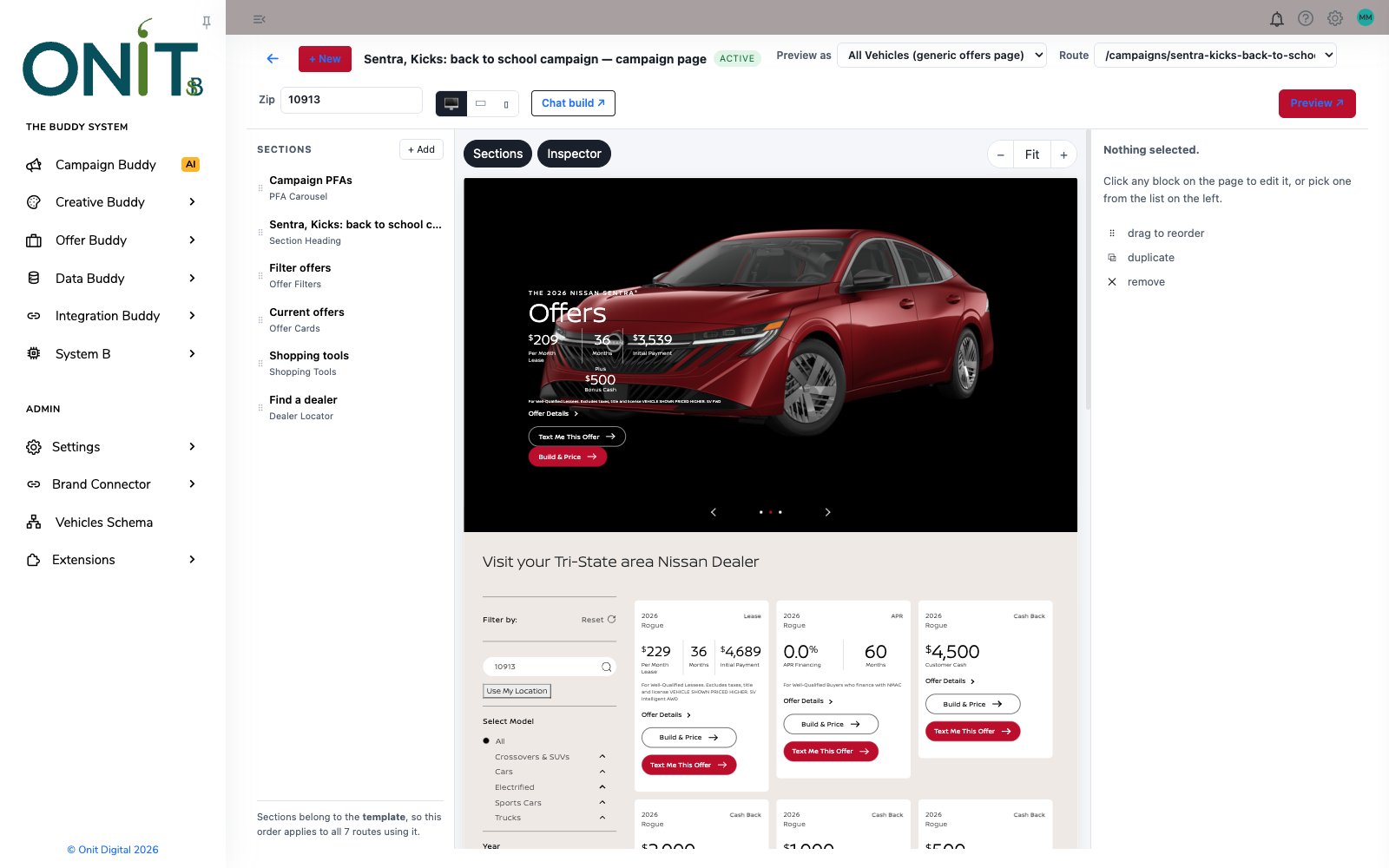
Page Builder canvas showing a Nissan campaign page with an offer carousel and offer cards beside the section list
How it works

Step by step.

  1. Start a pageCreate a campaign or model page template and give it a name.
  2. Add sectionsStack sections such as PFA Carousel, Section Heading, Offer Filters, Offer Cards, Shopping Tools and Dealer Locator.
  3. Design on the canvasClick any block to edit it in the Inspector, drag to reorder, or duplicate and remove.
  4. Preview any routeSwitch the model, ZIP and device to see exactly what each shopper will get.
  5. Serve every URLOne template powers every route that points at it, so a change lands on all of them at once.
Inside the product

Real screens, real product.

Every screen here is the working product.
Page Builder canvas showing a Nissan campaign page with an offer carousel and offer cards beside the section list
Design on a live canvasThe page renders with real offers while you arrange its sections on the left.
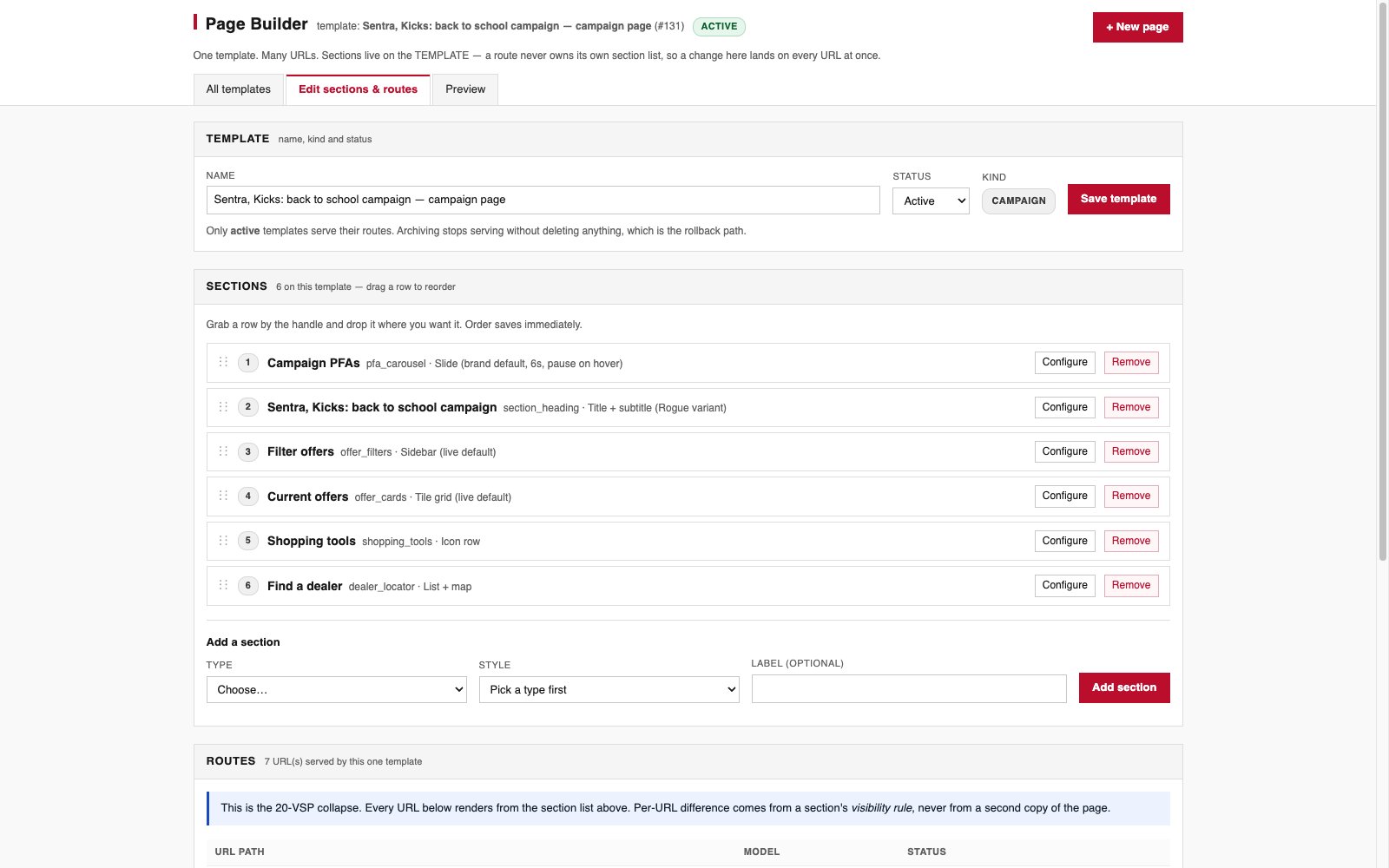
Page Builder template settings listing six sections and the routes served by the template
Sections and routesReorder sections by dragging, add new ones by type, and see every URL this template serves.
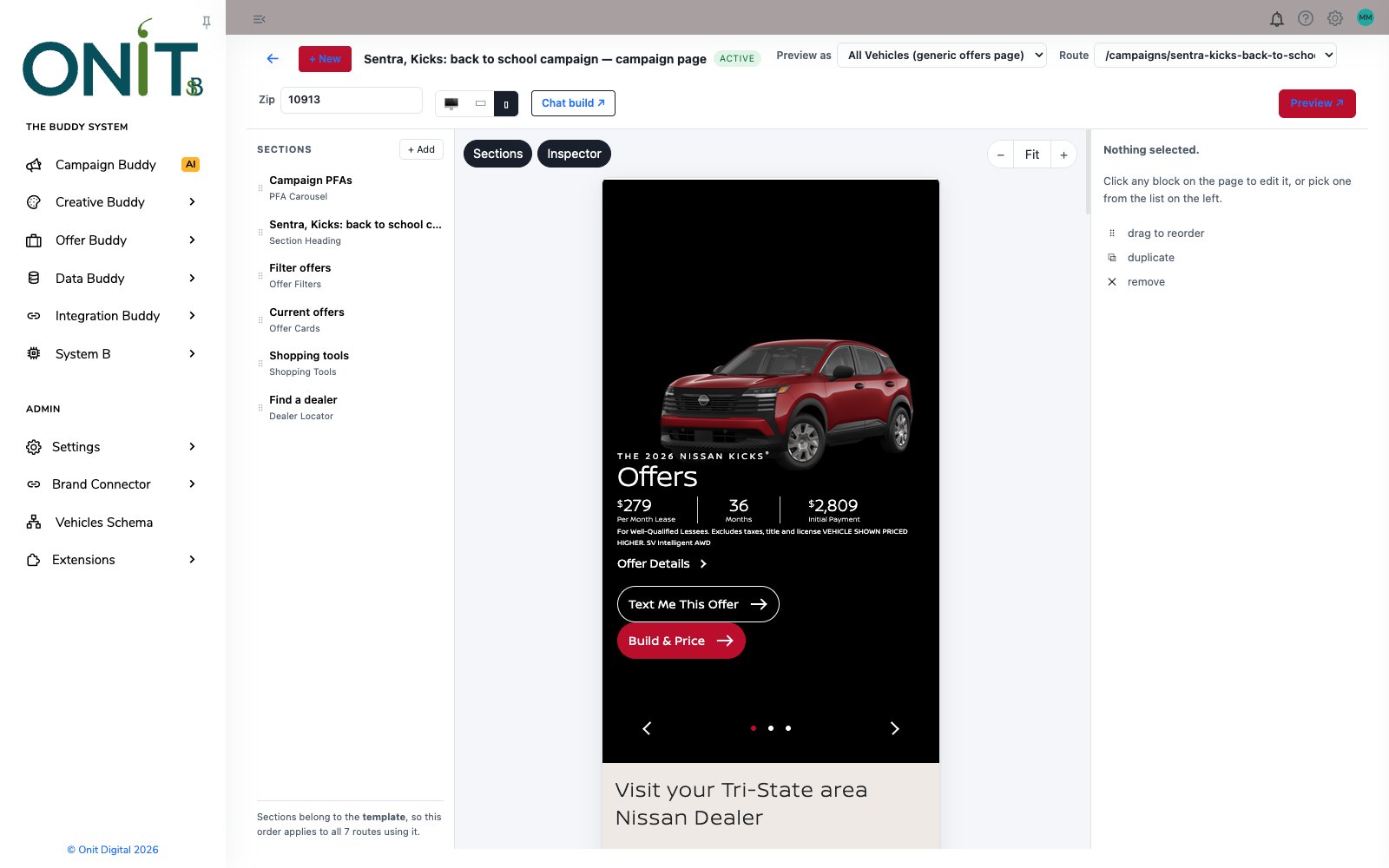
Page Builder canvas in mobile view showing a Nissan Kicks offer hero
Check it on mobileFlip the canvas to mobile to see the same page stacked for a phone.
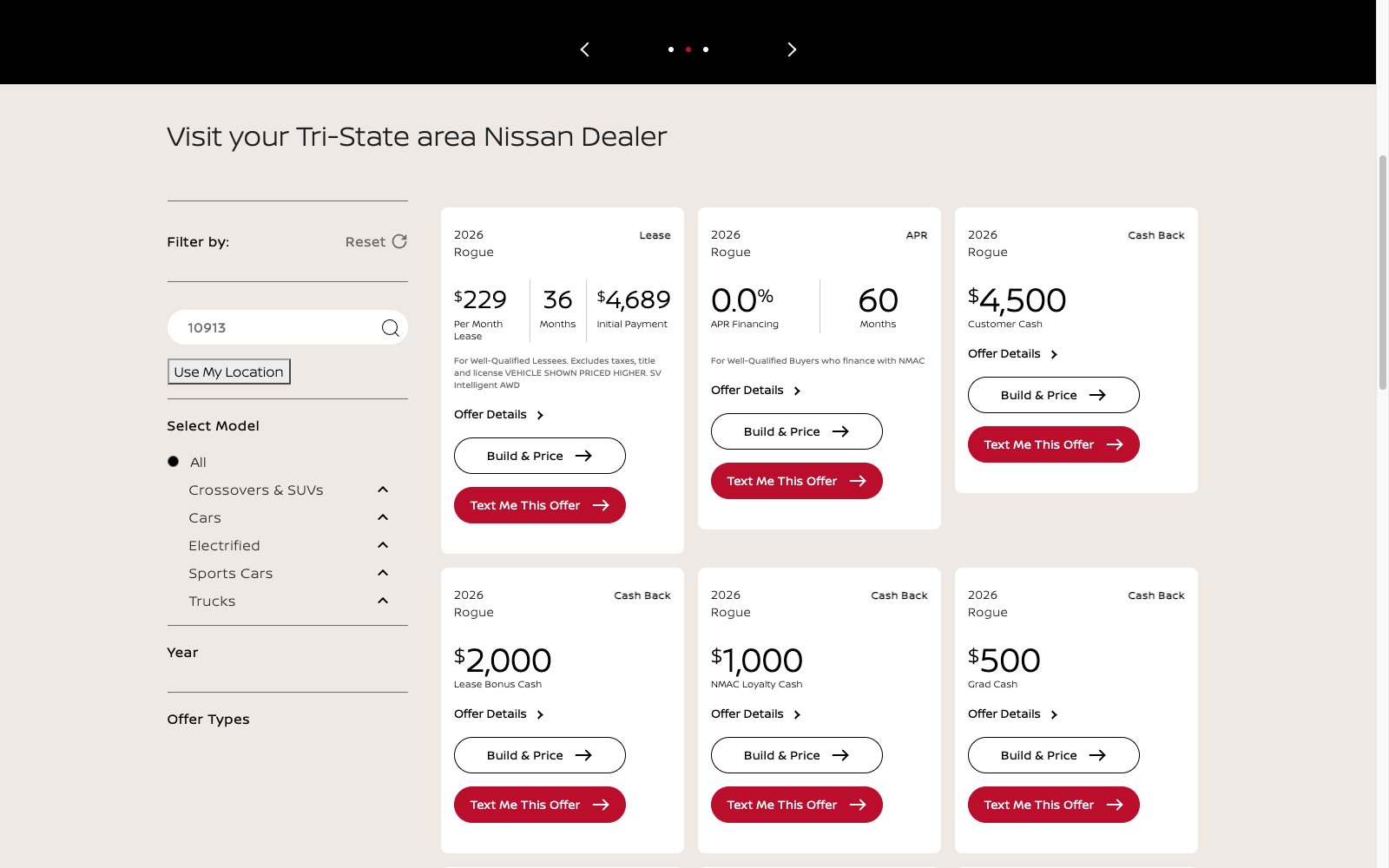
Shopper-facing offers grid with filters and Nissan Rogue lease, APR and cash back offer cards
What shoppers seeFilters and offer cards render with current Rogue lease, APR and cash offers.
Why it matters

What it changes.

Built from sections

Offer carousels, filters, cards, shopping tools and dealer locators snap together without code.

One template, many URLs

Every model route renders from the same section list, so pages stay consistent.

Preview before it ships

Check any model, ZIP and device on the canvas, then preview the full page.

A faster way to ship pages on its own.

Inside The Buddy System, Page Builder pages are filled with PFA Carousels, live offers from Offer Buddy and campaigns from Campaign Buddy.

Meet The Buddy System →

See more tools work: PFA Builder · PFA Carousel · Pulse Player · Widget Studio · Digital Coupons · Brand Sweep · Asset Studio · The asset manager · Text Me My Offer · Creative Buddy · The Creative Buddy Studio

Bring a real brief.

Bring an actual goal from an actual market, and watch The Buddy System build it.

This site is protected by reCAPTCHA and the Google Privacy Policy and Terms of Service apply.

The Buddy System by Onit Digital

See Buddy work.

Give it the goal. Get the campaign. A person still presses send.