Onit Digital home
Home / See It Work / PFA Carousel
See it work

Rotate the right offers, in the right order

Turn offer heroes into a rotating carousel for the top of a brand page. Pick the slides, set the order, and let campaign offers fill dynamic slots when they match.
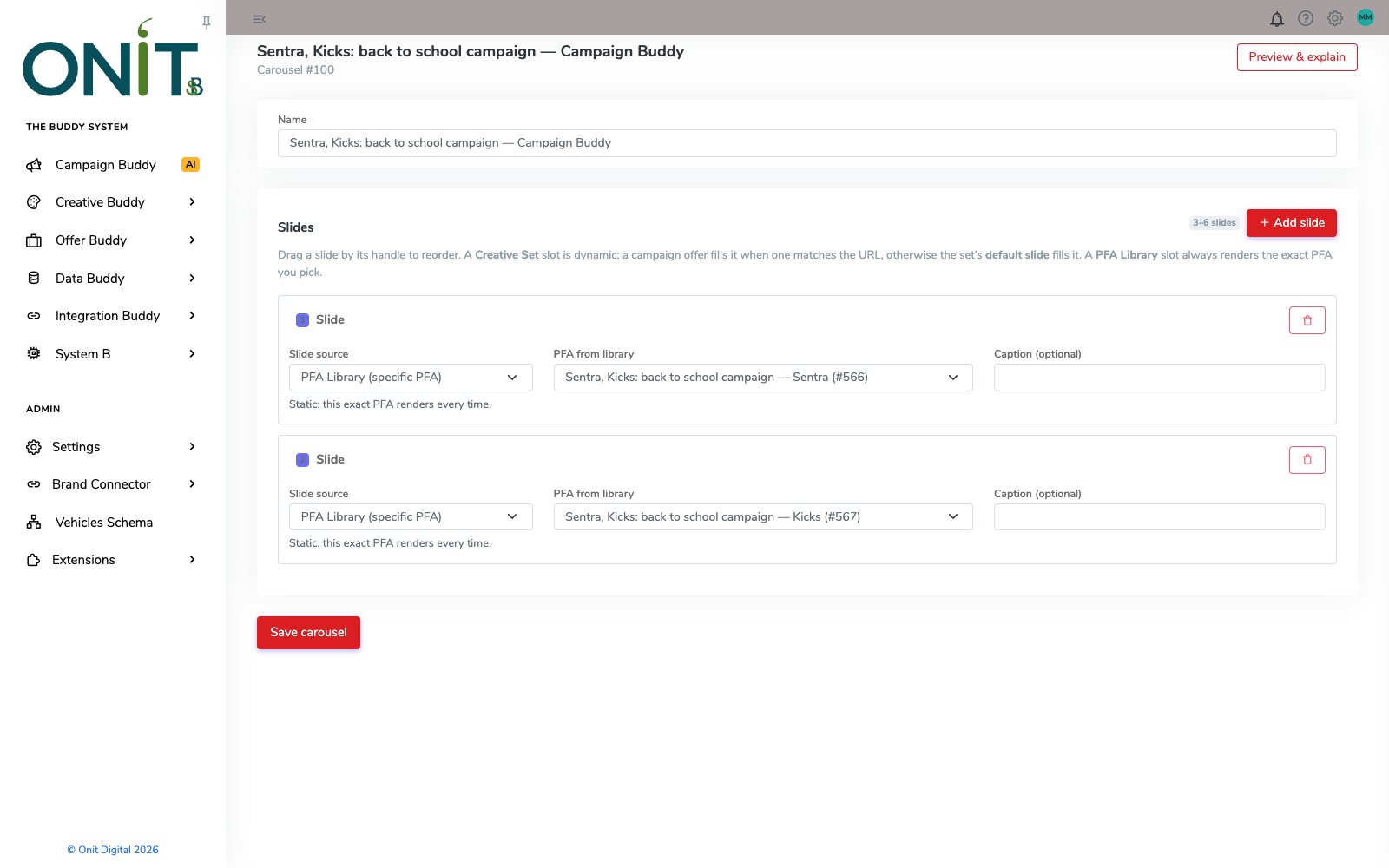
PFA Carousel editor with two slides pointing at Nissan Sentra and Kicks back-to-school offer heroes
How it works

Step by step.

  1. Name the sequenceCreate a carousel of three to six slides and file it in a folder with the rest of the campaign.
  2. Choose each slidePoint a slide at a specific PFA from the library, or at a Creative Set that fills itself with the matching campaign offer.
  3. Drag to reorderGrab a slide by its handle and drop it where it should play.
  4. Set the motionUse the brand's slide transition and timing, with pause on hover, arrows and slide beads.
  5. Edit safely while liveChanging a live carousel makes a draft copy, so the running carousel stays untouched until you are ready.
Inside the product

Real screens, real product.

Every screen here is the working product.
PFA Carousel editor with two slides pointing at Nissan Sentra and Kicks back-to-school offer heroes
Build the slide listEach slide references a PFA from the library, so one update to the hero shows up everywhere it plays.
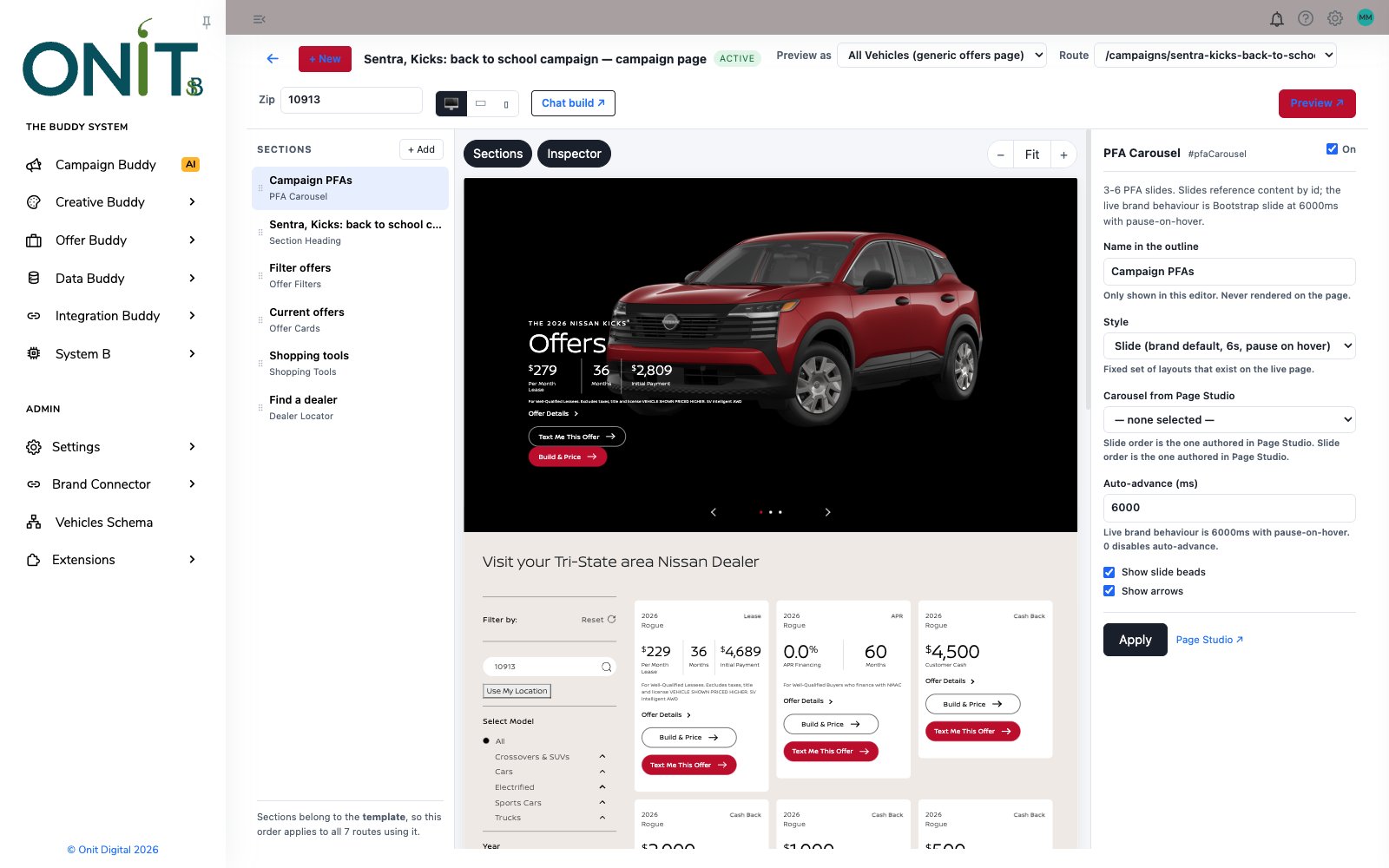
Page Builder canvas with the PFA Carousel selected and its settings panel showing slide style and auto-advance
Placed on the pageThe carousel sits at the top of the page, with its style, timing, beads and arrows set in the Inspector.
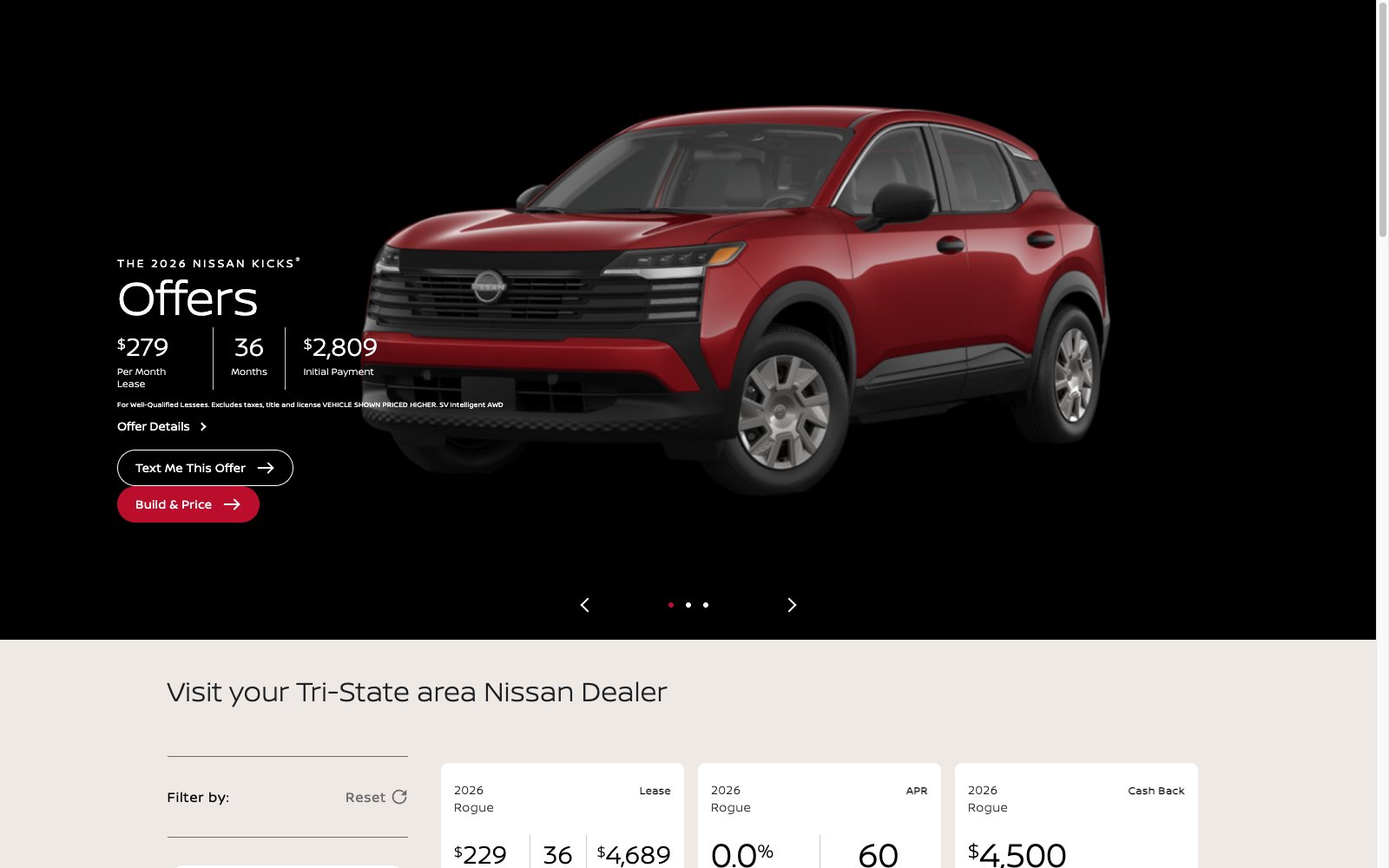
Carousel slide showing a Nissan Kicks lease offer with navigation arrows and three slide beads
Slide one: KicksThe shopper-facing carousel opens on the Kicks offer, with live lease figures and calls to action.
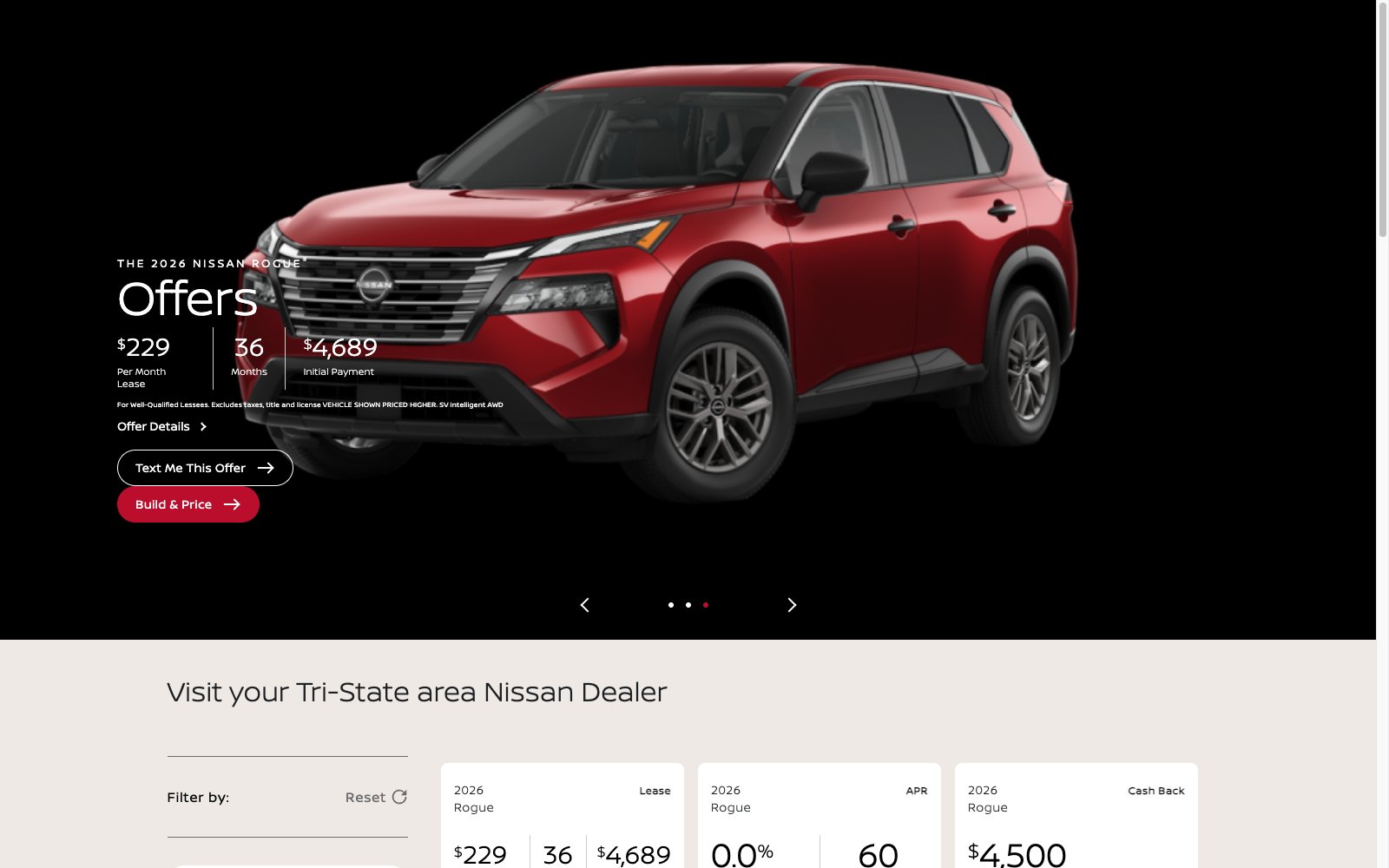
Carousel slide showing a Nissan Rogue lease offer with the third slide bead active
Slide three: RogueThe same carousel advances to the Rogue offer, each slide drawn from its own offer data.
Why it matters

What it changes.

Dynamic or fixed slots

A Creative Set slot fills with the matching campaign offer; a library slot always shows the exact hero you chose.

Reference, not copy

Slides point at live content, so fixing a hero once fixes it in every carousel that uses it.

Safe edits

Editing a live carousel creates a draft copy, so shoppers never see a half-finished change.

A smarter rotator on its own.

Inside The Buddy System, carousels pull heroes from PFA Builder and offers from Campaign Buddy, and drop into any page you build in Page Builder.

Meet The Buddy System →

See more tools work: PFA Builder · Pulse Player · Page Builder · Widget Studio · Digital Coupons · Brand Sweep · Asset Studio · The asset manager · Text Me My Offer · Creative Buddy · The Creative Buddy Studio

Bring a real brief.

Bring an actual goal from an actual market, and watch The Buddy System build it.

This site is protected by reCAPTCHA and the Google Privacy Policy and Terms of Service apply.

The Buddy System by Onit Digital

See Buddy work.

Give it the goal. Get the campaign. A person still presses send.